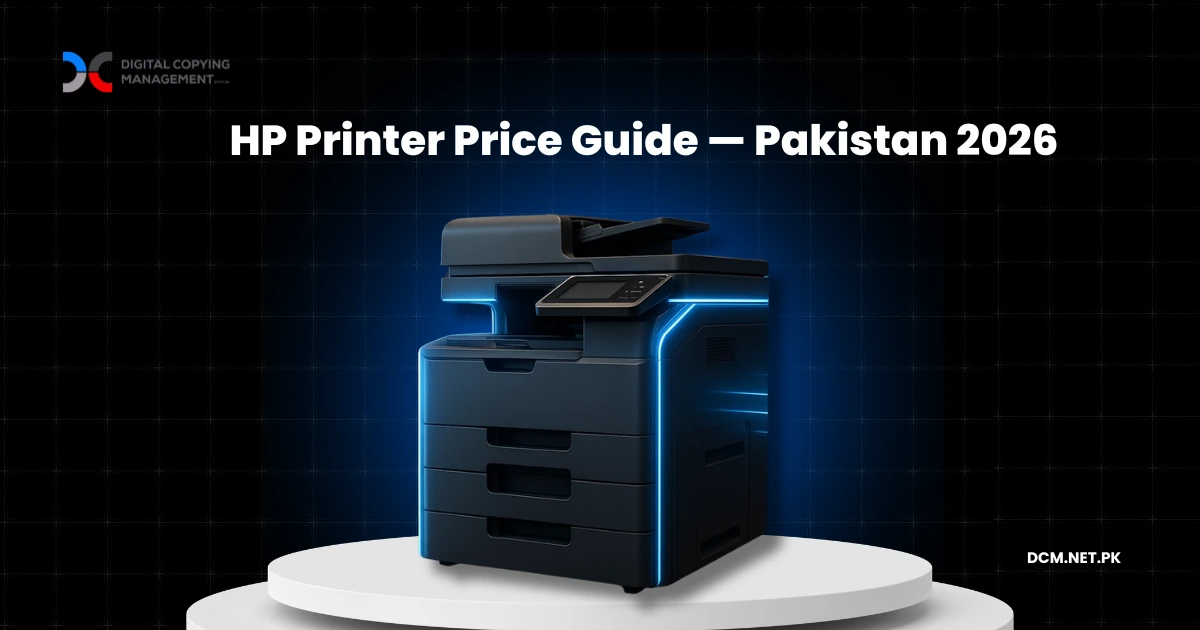
HP printers in Pakistan range from affordable entry-level LaserJets to enterprise colour machines — but the purchase price represents only 25–30% of what businesses actually spend over three years.
HP is the most searched printer brand in Pakistan. Every procurement manager comparing options will eventually look up an HP model, check a price, and start building a case for purchase approval.
The problem is not the machine. HP makes solid printers. The problem is what happens after you buy one. Toner runs out. Parts wear down. A technician shows up in three days — or doesn't. And that printer ends up costing your organisation 3–4× its sticker price within three years.
This guide covers what HP printers actually cost to own and operate in Pakistan, and why 500+ businesses across the country have stopped buying printers entirely — regardless of brand.
What HP Printers Cost in Pakistan Right Now
HP printer prices in Pakistan change frequently due to dollar fluctuations and availability. Here are the categories, what they are built for, and where to check current rates.
Black-and-White HP LaserJet Printers
Entry-level (HP LaserJet 1020, P1102, M111a) — basic mono printers for small offices or personal use. These handle up to 5,000 pages per month and print at 14–18 pages per minute. Older models like the HP 1020 are no longer manufactured and available only as refurbished units at lower prices.
Mid-range (HP LaserJet 1320, M1536dnf, P2035, P2055dn) — the workhorses of Pakistani offices. These handle 10,000–50,000 pages per month with duplex printing and multifunction capabilities. The M1536dnf is the most searched HP model in Pakistan — a 4-in-1 that prints, copies, scans, and faxes. Most of these models are also discontinued and sold as refurbished.
High-volume (HP LaserJet P3015, M401dn) — built for bank branches, law firms, and government offices printing 10,000+ pages per month. Duty cycles of 50,000–100,000 pages.
HP Colour LaserJet Printers
Colour HP LaserJets range from entry-level models to enterprise machines at significantly higher price points. Colour printing costs 3–5× more per page than black-and-white due to toner prices. If your office prints fewer than 500 colour pages a month, outsourcing colour jobs and keeping a mono machine in-house is usually the more sensible option.
HP 3-in-1 / Multifunction Printers
Most Pakistani businesses search for a machine that prints, copies, and scans in one unit. HP multifunction options are available in both mono and colour, with the mid-range mono MFP being the most practical choice for the majority of offices.
Many of the most popular HP models searched in Pakistan — the 1020, 1320, M1536dnf, P2055dn, P3015 — are discontinued. They are widely available as refurbished or reconditioned units, which are cheaper upfront but come with shorter warranties and less predictable lifespans. This is worth factoring into your total cost calculation.
For current prices on any specific HP model, check Mega.pk or Daraz. But before you compare sticker prices across retailers, read the next section — because the purchase price is the smallest part of what you will actually spend.
The Sticker Price Is Not the Real Price
This is the part procurement managers rarely calculate before the purchase order goes through.
The machine itself — regardless of the sticker price — is typically only 25–30% of what your organisation will actually spend over its lifetime. Industry research consistently places consumables, maintenance, and support as the remaining 70–75% of total print costs. Here is how that breaks down in practice. For a broader look at photocopy machine costs across all brands, see our complete photocopy machine pricing guide.
Toner is the single largest ongoing cost. Take a common example: a toner cartridge for the HP M1536dnf costs approximately PKR 3,000–5,000 and prints 1,500–2,500 pages. At 5,000 pages per month, you are replacing cartridges roughly every two to three weeks. Over three years, toner alone typically costs 1.5–2× the purchase price of the machine. For colour printers, multiply that by three to five.
Parts and maintenance increase with age. Drums, fusers, rollers, and feed assemblies all have finite lifespans. Year one is usually trouble-free. By year two, the first major component fails. By year three, you are spending more on keeping the machine running than you spent buying it. Refurbished machines — which make up the majority of HP units sold in Pakistan — hit this stage faster.
Downtime is the hidden cost. When a machine goes down in a busy office, printing stops, workflows stall, and staff find workarounds that waste time. If you depend on a third-party technician, you are at the mercy of their schedule. The vendor says "sir, technician raastay mein hai" and your branch manager waits.
The typical pattern: a printer that costs X to buy will cost 3–4× over three years once toner, maintenance, and downtime are factored in. This is not unique to HP — it applies to Ricoh, Konica Minolta, Kyocera, Xerox, and every other brand on the market.
Why the Brand Matters Less Than You Think
Procurement teams spend weeks comparing HP vs Ricoh vs Konica Minolta. Which has better toner yield? Which is more durable? Which offers a lower cost per page?
These are reasonable questions, but they miss the bigger picture. (Comparing brands directly? See our Ricoh printer & copier price guide for Ricoh-specific pricing.)
The difference between brands at the same price tier is marginal. A mid-range HP LaserJet, a Ricoh MP 2014, and a Kyocera TASKalfa 2020 all do essentially the same job at roughly the same cost. What actually determines your printing experience is not the machine on your desk — it is the service behind it.
When your machine goes down at 10 AM on a Monday and the vendor says "sir, technician kal aa jayega" — the brand name on the front panel is irrelevant. What matters is whether someone shows up the same day to fix it.
This is why the managed print services model exists. Instead of buying a machine from a dealer and then scrambling for service, you work with a company that owns the machine, the toner supply, the maintenance schedule, and the service response. The machine brand becomes the provider's problem, not yours.
How Managed Print Services Change the Equation
In a managed print arrangement, you do not buy a machine. You do not buy toner. You do not call technicians. You pay a fixed monthly amount or a per-page rate, and the provider handles everything.
| Factor | Buying (Any Brand) | Managed Print Services |
|---|---|---|
| Upfront cost | Varies by model | Zero |
| Toner and consumables | Your responsibility | Included |
| Maintenance | Find a vendor, negotiate, wait | Included — same-day response |
| Downtime management | Your problem | Provider's SLA |
| Machine upgrades | Buy again | Swap at contract renewal |
| Monthly cost visibility | Scattered invoices | One predictable number |
| Balance sheet | Depreciating asset (CapEx) | Operating expense (OpEx) |
| Multi-location management | You coordinate everything | One contract covers all sites |
For a single machine in a home office, buying makes sense. Maintain it yourself, replace toner when needed, and move on.
For a business running 3 machines or more, or operating across multiple locations, or printing more than 5,000 pages a month — the economics shift decisively toward managed print. The total cost is lower, the service is faster, and nobody on your team has to become a part-time printer manager. For a detailed look at rental options in Karachi specifically, see our photocopier on rent in Karachi guide.
How to Decide: Buy or Rent?
Buy if: You have one machine, print under 2,000 pages per month, and have someone in-house who can manage toner and basic troubleshooting. The hassle is manageable and the total spend stays low.
Consider managed print if: You have 2–5 machines and your team is spending real time managing print infrastructure — tracking toner levels, calling vendors, waiting for repairs. The time cost alone often exceeds the price difference.
Managed print is the clear choice if: You have 5+ machines, operate across multiple cities, or your organisation cannot afford print downtime. Banks, hospitals, government departments, logistics companies — at this scale, managed print is not a convenience. It is an operational requirement.
Over 500 organisations across Pakistan — including major banks, corporations, and government departments — have made this switch. Not because a specific printer brand failed them, but because managing print infrastructure in-house does not scale.
Frequently Asked Questions
What is the starting price for HP printers in Pakistan?
HP printer prices in Pakistan vary widely depending on the model, condition (new vs refurbished), and seller. Many popular models such as the HP 1020, 1320, and M1536dnf are discontinued and only available as refurbished units. Check current rates on retailers like Mega.pk or Daraz for the latest pricing.
How much does the HP 1536 cost in Pakistan?
The HP LaserJet M1536dnf is no longer manufactured and is available in Pakistan primarily as a refurbished unit. Prices vary by condition and seller. It remains the most searched HP multifunction printer in Pakistan due to its print, copy, scan, and fax capabilities with automatic duplex printing.
What is the total cost of owning an HP printer for 3 years?
For a mid-range laser printer printing 5,000 pages per month, the total three-year cost including toner, maintenance, parts, and downtime is typically 3–4× the initial purchase price. The machine itself represents only 25–30% of lifetime costs. This pattern holds across all printer brands, not just HP.
How much does an HP colour printer cost in Pakistan?
HP colour laser printers cost significantly more than mono printers, both upfront and per page. Colour toner cartridges cost 3–5× more than black-and-white equivalents. Unless colour printing is a daily operational requirement, most businesses are better served by a mono printer with occasional colour outsourcing.
Is it cheaper to buy or rent a printer in Pakistan?
For single machines with low volumes, buying is usually cheaper. For businesses with multiple machines, high volumes, or multi-location operations, renting through managed print services is typically more cost-effective when toner, maintenance, downtime, and staff time are factored into the total calculation.
What is managed print services?
Managed print services is an arrangement where a provider deploys printers or copiers at your premises and handles all toner, maintenance, repairs, and support for a fixed monthly fee or per-page rate. The business does not own the machine and does not manage any aspect of print infrastructure. Over 500 organisations in Pakistan use this model.
Which printer brand is best for offices in Pakistan?
At the same price tier, the differences between HP, Ricoh, Konica Minolta, and Kyocera are marginal for standard office printing. The reliability of your printing depends more on maintenance quality and service response than on the brand name. Businesses that prioritise uptime typically choose managed print services rather than a specific brand.
Are refurbished HP printers reliable?
Refurbished HP printers can perform well if sourced from a reputable supplier and properly reconditioned. However, they come with shorter warranties and less predictable lifespans compared to new machines. Higher failure rates and escalating maintenance costs are one reason businesses increasingly opt for managed print arrangements, where the provider assumes the machine risk entirely.
The Smarter Question
The smart question is not "which HP model should I buy?" It is "should I be buying at all?"
DCM provides free print infrastructure audits for businesses across Pakistan. We assess your current setup — regardless of what brand or model you are running — calculate your true cost per page, and show you what a managed print arrangement would save.
We will send you a one-page report showing your current cost per page, what managed print would cost, and the difference. You decide from there.
No obligations. No sales pressure. Just the numbers.
Find out what your printers really cost.
Free print infrastructure audit. One-page report. You decide from there.